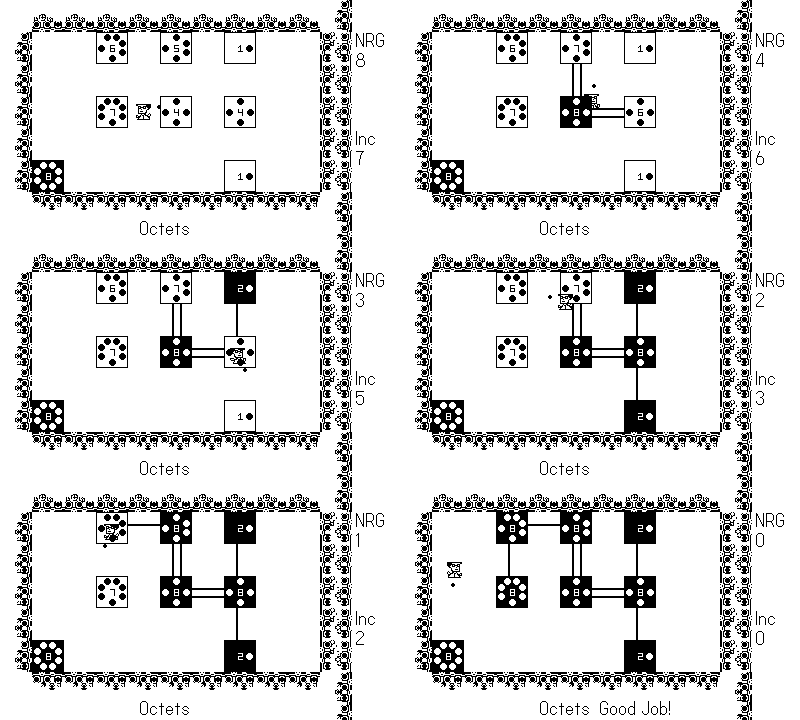
Video games have been a huge part of my life ever since I was three-years-old attempting to emulate my grandfather playing The Legend of Zelda and Super Mario Bros. and instead dying a million times to the first Goomba or Moblin lucky enough to cross my path. The prospect of making my own video games has always been something I wanted to chase, and I have even used my software engineer background to make a few over the years for fun without the intention of giving them a proper release. Over the past 12 or so years, I have made three games – a browser based RPG for my old food blog called MMTK: The Game, a platformer birthday present for my nephew titled Super Bash Bros. and my well intentioned but quite boring take on the rules of chemistry called Octets. I even had an illustrious career in Game Dev Story bringing Pwned and Operated Studios to virtual life. Despite these “achievements”, eventually kids, a pandemic, and just life in general happened, and I realized I was not going to hit that goal of mine to release my own game by 40.
So now here I am at 41 with my own tiny and super official game studio in the form of Pwned and Operated Studios, LLC. This is the story of how the last 2 years got me to a just slightly belated achieving of one of my life’s biggest dreams.
There’s a lot to cover, so if you want to skip over anything like my personal backstory, here are links to the major sections:
- Getting Started and Learning
- The Real Work Begins
- Submitting and Releasing a Game
- Post Launch
- Helpful Links
Personal Stuff
The Great Calamities of 2025
2025 announced its presence with an absolute vengeance. I was visiting my family in California over the holidays when I was awoken at 6:00 am on January 2nd to my phone blowing up. The company I worked for had just been sold, or more specifically the division of my company where I had worked for the past year and a half that had finally made me feel excited about being in tech again after burning out was sold off to private equity. I knew this was a possibility, but I very incorrectly assumed nothing would happen over the end of the year. My team was to go along with the sale, but I was to stay with my original company.
The next few months were pretty uninspiring as I moved over to a different department that needed my expertise. There was a lot of downtime transitioning over. Company leadership kept bad mouthing the place I had loved to explain their woes to investors, and I saw several rounds of layoffs hit lots of great people I worked with. As my fortieth birthday approached, my wife asked what my mid-life crisis was going to be. Without hesitation, I responded “my job”.
At the same time, one of my closest friends of the past 20 years had her cancer take a turn for the worse. Just one month before my birthday, I couldn’t take it anymore and quit my job (with 3 months notice to get my bearings and finish things up). A week later, my friend passed, and I started my 40th year by catching a 6 a.m. flight the morning after my birthday to her memorial. Things seemed pretty dang bleak, but I promise you, dear reader, this story is not a tragedy.
Getting out of the Haze
The first few weeks of Rheetirement (a phrase my college friends and I use whenever one of us is out of a job in honor of the the last name of our friend who was the first to Rheetire) felt great. My kids started school, I got to hang out with my friends at our annual Fantasy Football Draft Weekend, I had a list of all the things I was going to accomplish organized on a magnificent Trello board, and I had all the time in the world to find a job that would inspire me again.
Then the applying started as did the many rejections. In all, I applied to over 200 jobs and got a grand total of 3 interviews with about 40% of the companies ghosting me completely. Apparently quitting your cushy tech job right before the global economy tanks was not the smartest move. My ego was burned, and those Trello cards stopped moving over into the done column.
I needed something to look forward to, plus I had 8-ish free hours a day. It was finally time to start working on my own video game which would eventually become The Princess and the Portals.
Getting Started and Learning
Deciding on the Playdate
All of my previous game dev work had been in Unity for PC or very basic jQuery. I wanted to keep things simple, though, so I could actually make something that would release sometime in the near future that I could also work on as mainly a solo dev and horrible amateur pixel artist. For the past year, I had gotten really into my tiny little niche handheld with a crank known as the Playdate, and its simplicity and 1-bit charm seemed like the perfect place to start. Now, if you have never heard of the Playdate, fear not, there are only about 100,000 of these in the wild, but it features an extremely passionate fan base.
I knew the retro style would fit better with the type of game I wanted to make, and it wouldn’t test my artistic ability too much. Several years prior, I had attempted to recreate Yars Revenge using Playdate’s simpler Pulp editor, but I kept running into limitations with it. For my real game, I would need to use something stronger. Fortunately, Playdate supports both Lua and C++ which are approachable and familiar. I was out of practice, though, so it was time to get some reps in and learn from tutorials.
SquidGodDev’s Tutorials
After an extensive 5 second search on YouTube, I lucked right into the tutorials of Atsu (aka SquidGodDev). I immediately recognized one of his games, Core Fault, a fun Vampire Survivors-like as one of my favorite games from the Playdate. His tutorials took me from the basics all the way through building a Metroidvania and optimizing performance, and I cannot recommend them highly enough. Perhaps most importantly, he provided an easy to use template to start any new project and showed me how to get Visual Studio set up with the necessary libraries and how to use LDTk for level design. I suddenly had a working dev environment that could instantly build to the Playdate Simulator. My biggest weakness back when I was a developer was always that setting up my environment DevOps-y type stuff, and it had been solved for me so easily.
You can find the playlist of 9 tutorial videos here.
Trying Things Out
Post finishing the tutorials, I had a working Metroidvania game, so I decided to start experimenting with new power-ups inside of there. My initial idea was going to be called Every Room a Metroidvania where each room was a carefully designed platform puzzle where you had to acquire power-ups in a certain order to progress. This sounded great in theory, but most of the power-ups weren’t really seeming too original or were seriously broken like my reverse gravity one. I did, however, quickly replicate a portal teleportation system that I had used for my old Unity platformer which would prove highly influential.
I was starting to feel stuck, so I decided to try something fun. Instead of just having stationary portals, I would attempt to make a portal gun. Shockingly, in one short morning, I had a working prototype of a portal gun. Sure it was a bit janky and you could break the game very easily, but I was firing out portals which was way cooler than any of the other power-ups I had made. Given the lack of buttons on the Playdate (just 2 buttons, a d-pad, and a crank!) I knew I would need to focus on portals as the main gameplay element if I was going to get them to work.
The game’s direction was now set. I would make a precision platformer with portals. Think Celeste but with teleporting.
The Real Work Begins
The Gamers Week Podcast Discord Support System and My Version of DevLogs
Several years ago, I used to be extremely active on Twitter. I had gotten my feed to a magical place where it was just joy and talking about video games with a lean toward retro fare. Then new ownership, a crappy name change, and severe tweaking of the algorithm later, I found myself leaving. Seeking a new home to talk about games, I spent more and more time in the Discord of The Gamers Week Podcast, a group I had grown close to from interacting in the same Twitter circles. I concluded they would be my support system because they were awesome and understood video games. So, I started posting each little bit of progress in the Discord’s #for-the-win channel. I didn’t realize it at the time, but I was making DevLogs. I was also publishing goals there for several weeks at a time and then confirming and displaying my progress to keep the momentum going. I got tons of support which made me feel like I was on the right track, and this truly was key to turning this from a fun little project I would eventually abandon into something that was going to stick around.
If you don’t have a Gamers Week Podcast in your life, I highly recommend using the r/PlaydateConsole subreddit or the Playdate Squad Discord for support and collaboration.
Major Decision: Settling on a Game Layout and Camera
I now could sort of do the thing, so I needed to make some really important design decisions before I got too far along. The Playdate screen is 400 pixels x 240 pixels. As such, you tend to see games that either use 16×16 or 32×32 pixel layouts. For my first few weeks, I was settled on 16×16, so I could put as much detail into the platform puzzles as possible (that’s 25 tiles wide and 15 tiles tall). It looked and played great on the simulator, but then I tried to play it on the actual device. Playdate enthusiasts might not be the youngest folks around, and these tiny little sprites were incredibly hard to read for my terrible eyes.
Obviously, my next choice was to go to 32×32, but now we suddenly dropped to 12.5 tiles wide and a mere 7.5 tiles tall. I couldn’t make nearly as intricate of puzzles that I wanted on a single screen, but maybe if I added a game camera I could make larger levels instead of single screen levels. I actually got the camera working pretty quickly, but then I spent several days trying to make it less twitchy. The game just was not compatible with a camera due to all the teleporting. If I wanted intricate puzzles, you would need to see the entire level at once, and, aside from that, moving through portals just always felt too abrupt and jarring when the camera would finally catch up to your new location.
So it was time for a compromise, and I decided on a 24×24 layout (16.67 tiles wide by 10 tiles tall).
Keeping Track of Everything
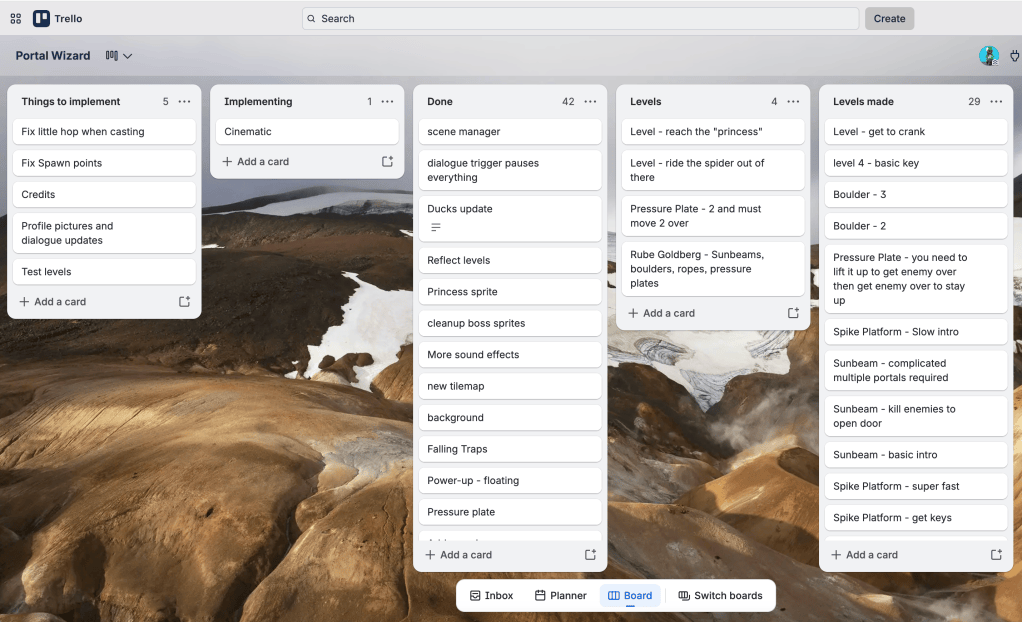
Like I mentioned before, I love Trello. As a former software developer and current project manager, being able to move cards around a board over to done is extremely satisfying and a great way to keep track of things and feel a sense of accomplishment. You can tailor the columns to whatever you like, but I chose sort of a two boards in one approach where I tracked major features I was implementing as well as the levels as was making. Separating it out like this allowed me to decide what I wanted to work on and visualize what needed to be a done a little better than having it all in a single implementation column.
Making My Own Assets
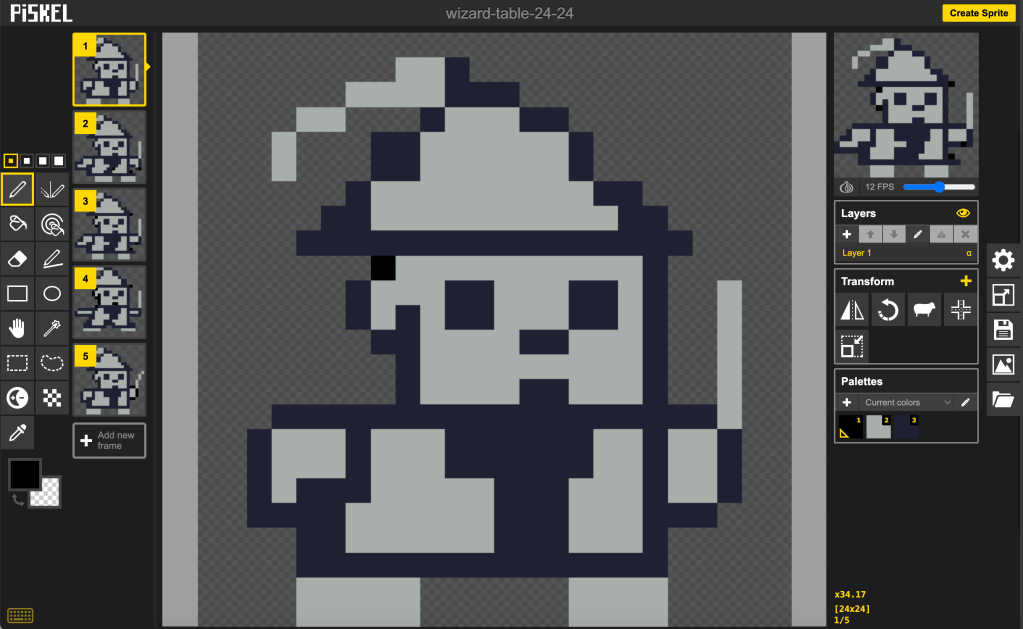
Thus far, I had mainly been using the assets from the tutorials as placeholders for my game, but as the scope grew and I wanted something to show people, I knew I would have to make my own. Back when I was making Super Bash Bros., I discovered the free sprite creation tool Piskel. It wasn’t overly fancy, but it got the job done and could also make animations fairly easily. Since I was familiar with it and I was not exactly striving for high fidelity with this game, going with it was a no-brainer.
Making a Tileset
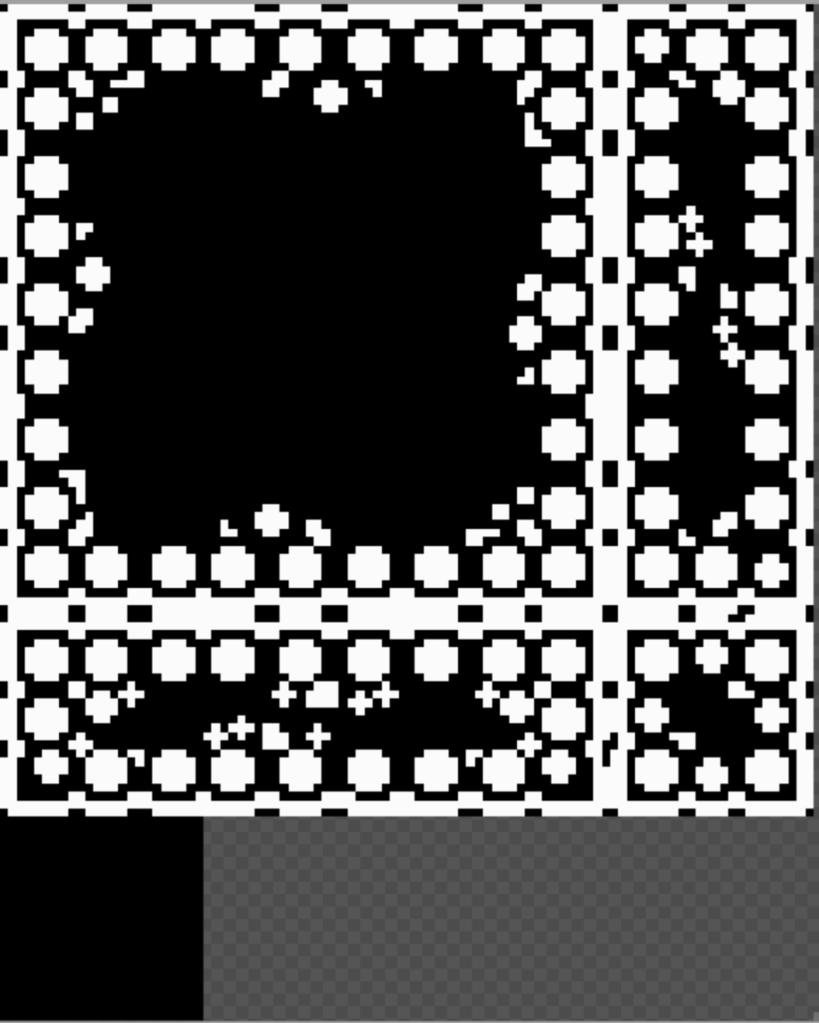
Perhaps one of the hardest things to do was make a tileset. Again, I had been using the one provided in the tutorials up until now, but I had no idea how LDTk really handled tilesets to generate all the platforms of the game. So, I drew numbers on each tile and saw where they showed up in the game. Now that I knew what corresponded to what, I could make my own. I liked the overall shading of the one I had, but it was far too flat and did not cover nearly enough area. So, I created my own that followed a similar shading pattern (with some extra emphasis on the bottoms of platforms that were woefully unshaded in the tutorial one) but relied on circles and crosses instead of rectangles to show detail. I also added little bumps at the edges, which I think was the touch that really brought the tileset to life. I spent a solid 8-12 hours building my tileset, but it was one of the first “wow, I’m proud of that” moments I had designing the game. I do wish I had made a second tileset to give a little more variety, but there was a lot else to do meaning this bumpy stone castle (that definitely is not a cave) would have to suffice for everything.
Making Sound Effects
For nearly two months, I had played my game silently, but I knew I needed to start adding sound effects before anyone else played it. I recalled that Playdate’s Pulp editor had a good sound effect maker, so I went there and started playing around with the most basic noises I needed like the sound when you shoot a portal out of your wand. You cannot easily export the Pulp noises as assets (they export as a JSON file), so I would test things out in the Pulp editor and then make them appear in the game using the SDK’s playNote() function.
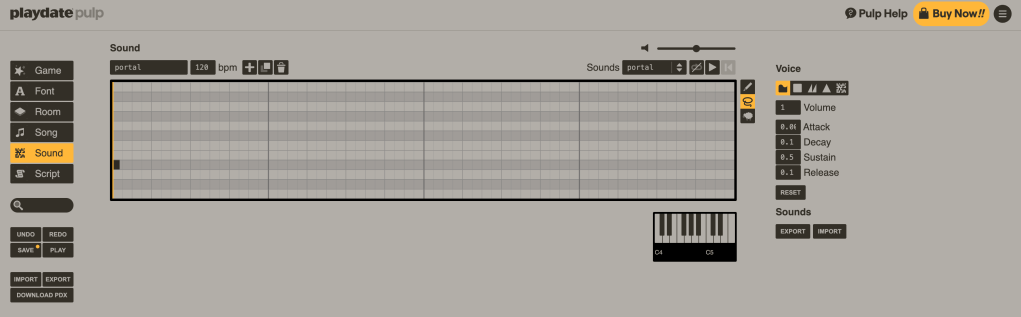
This is the one place I wish I had spent a little more time or hired someone to make the assets for me. They are serviceable but don’t stand out. There are also quite a few that seem to go a little too loud compared to the music in a distracting way.
To AI or Not to AI
While the majority of my start was due to everything I learned in those tutorials, I began to wonder whether or not I should use AI to help on the coding side of things to assist with debugging, clean-up and question answering. Up until now, I actually had 0 personal use of AI. At my previous job, I used it to make a training agent that seemed quite successful, but I was mostly unimpressed with my interactions with Copilot including when it would for strange reasons just get weirdly racist in its responses (no seriously, it started sorting things by race to me five prompts in to my first innocuous session).
As someone working in tech, though, I realized I needed to up my AI game as I looked for a new job, so to help speed things up and as a measure of self preservation, I made the call to use AI for coding assistance. There was definitely no way I was going to use Copilot after all my previous negative experience with it. That meant it was really a race between ChatGPT and Claude. I heard nothing but amazing things about coding with Claude, but I was not looking to just vibe code my way to a game. After several interactions with ChatGPT, I determined it was just stupid enough to work. Yes, it could help with my coding, but it was not going to just go on autopilot to produce a playable game. I would still need to be heavily involved and use my critical thinking. I would also need to yell at ChatGPT a lot. I’ll speak a little more to how I used it as we go on and how my feelings about it have evolved, but I was trying to keep it to debugging and clean-up as well as doing rubber ducky programming with it to help me better think of how to attack problems.
Note: In April, Playdate banned the use of GenAI in Catalog games for everything EXCEPT for generating code (phew). You are asked to disclose your use and a notification around if you used it exists on the game’s store page. Again, we will cover this a lot more later.
Designing Levels
Level design was relatively easy thanks to the previously mentioned LDTk and the awesome ldtk.lua library introduced to me by Atsu’s tutorials.
I would simply paint on my tile set to get the level set up and add the entities I wanted to create death traps. Then ldtk.lua would do the hard work making them show up in my game.
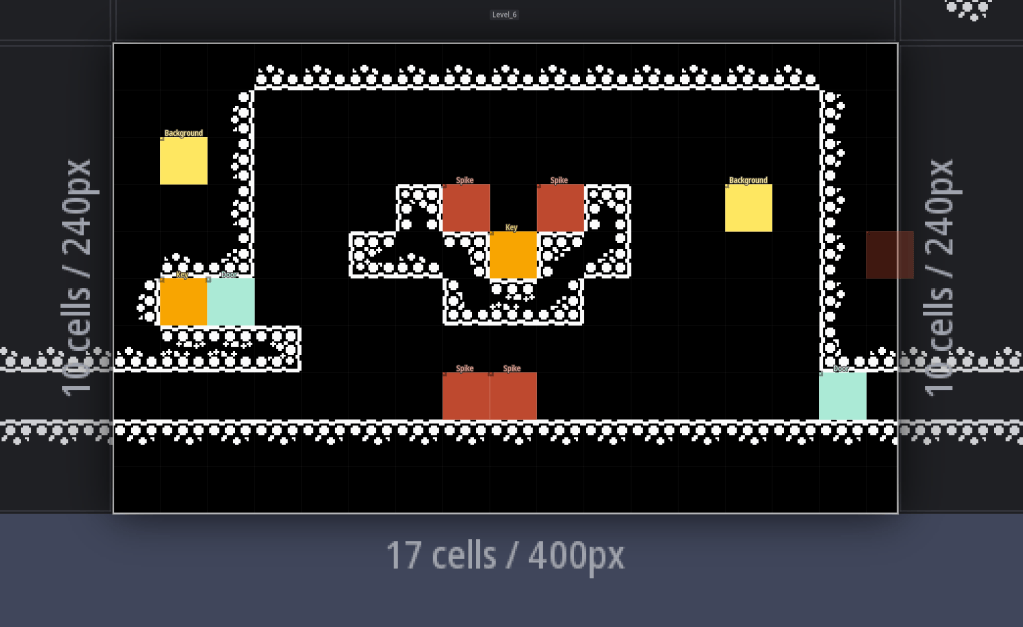
For the most part, I would think of a theme trap type and try to design as many levels around them as possible, slightly upping the difficult each time. This meant I usually came up with anywhere from 3-7 levels around a particular trap. I could then quickly play each and see what was fun and what was better left on the cutting room floor.
Major Decision: What Happens When You Die?
No, I am not debating the existence of Heaven and Hell here. Rather, I needed to figure out how to handle death in a game that was intended to have a lot of it. The two options were either to reset everything in the level or to reset only the player. Reseting everything would obviously be harder and more like my inspiration, Celeste, but I was worried that the game would seem too off-putting like this. I wanted anyone who played it to be able to finish the game, so I opted to only reset the player, meaning any enemies that were killed, keys obtained, or portals shot out would remain. This also created a fun little way for a player to create checkpoints after difficult areas through creative use of leaving a portal behind.
The Demo
Things were finally coming together, and I had about 10 levels. It seemed like I was heading in the right direction, but I had no way of knowing if that was true or not unless other people played the game, which would admittedly be a bit of a challenge given the small population of Playdate owners. Fortunately, there were several in the Gamers Week Podcast Discord, so I knew I could get at least a couple of eyes on things. I made a goal to release a demo before Thanksgiving. I wanted it to include 20 or so levels and a boss fight. The first 10 levels would be mostly a tutorial, while the final floor would be where I challenged the player as well as introduced the first power-up (the ability to reverse the direction of objects entering a portal). On November 13th, nearly two months after my first little portal gun proof of concept, I released my demo to the Discord and nervously waited for feedback.
Later that night I had my first comment, and it made me feel dumb as hell. I was so used to aiming the portals, that I was an expert. I had no visual indicator to where you were aiming because clearly everyone’s brain could translate how the crank was positioned to how you would aim. Well, it turns out that, no, the complicated diagram I put in the testers’ manual that resembled a weird cross between daVinci’s Vitruvian Man and the female reproductive system was not very helpful (see below for a snippet from the manual).
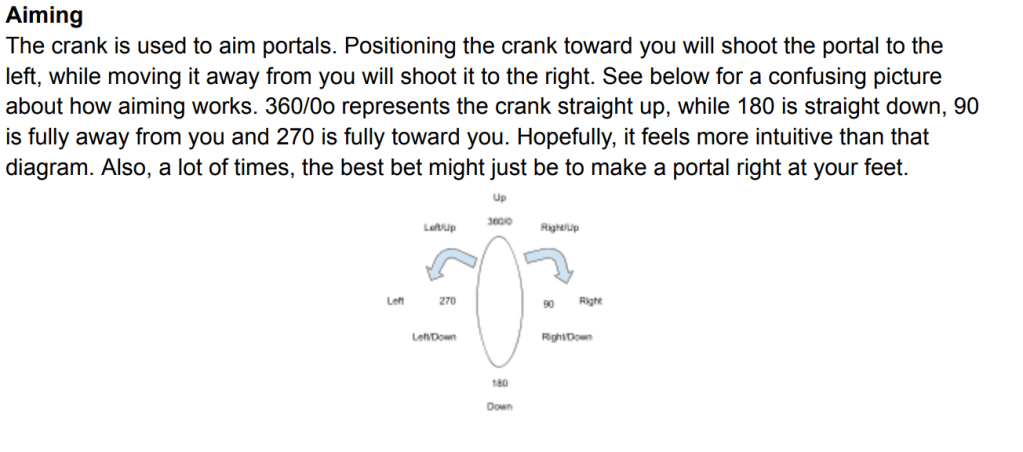
When I first designed the portal wand, I tried to include a little reticle, but my understanding of printing things to the screen wasn’t quite where it needed to be, so I had given up after a little bit of trying. Now, though, I had a lot more experience, and I also had all the math of where it should be based off where the portal blast would originate. Within 15 minutes, I had a new version with a visible reticle uploaded to the testers, and I really felt like I was on the right track. The demo was fun. It had lots that could be improved, but it wasn’t a disaster. I also now had a trusted person who gave critical feedback and really scrutinized things in Zach who would go on to serve as my lead tester. The next thing was going to be adding some excitement by taking away the abundance of silence. I was going to need a soundtrack.
If you want to see how it all started, you can download the demo below.
Music
Now that the demo proved to me that the game was viable, I got serious about building a soundtrack. I knew exactly who I wanted to work on it. Conventional knowledge would have said to go the chiptune route that fits with the retro style, but I wanted to add a level of epicness that my visuals could not. One of my Gamers Week friends just so happened to teach a course on video game music and often performed piano arrangements of classics on her Twitch channel.
When I first reached out, she was not quite convinced she was the best fit, but this changed when I sent her a link to the soundtrack for Direct Drive. The Playdate is capable of surprising musical quality, and I wanted that for my game. I asked for Castlevania with a hint of Final Fantasy, and she and her partner absolutely delivered.
I asked for 3 songs – a main theme, a boss theme, and a victory theme. So naturally these overachievers delivered 4 including a secondary boss theme that goes way harder than it has any right to. I had asked her for these by the end of the year in an attempt to really push myself to finish the game in a timely manner, but the songs were too good. They made me realize I needed to make an even better game. At the time, I thought I was going to make a solid 7/10 game. Once the soundtrack came, I knew it had to be a 9/10, and I started working even harder.
Now, I don’t really know much about how the music was made or the true thought process behind it, so let me briefly turn things over to my amazing composing and arranging husband and wife duo.
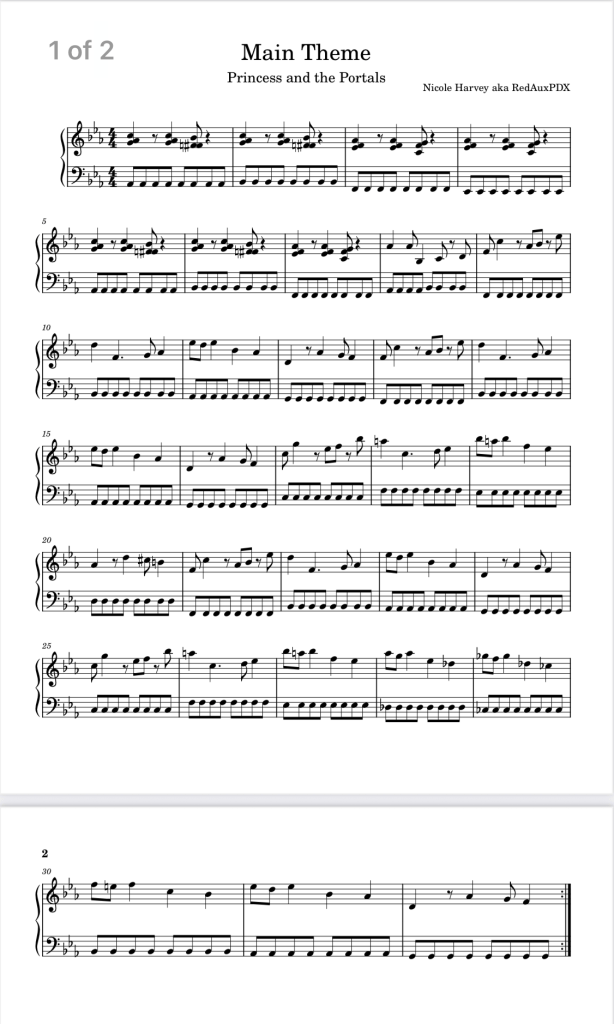
A Note From the Composer Nicole Harvey on the Composition Process
“My approach to composing the music to The Princess and the Portals was to essentially draw inspiration from the original Castlevania on the NES. My goal was to reimagine that sound through a more contemporary jazz and synth-trio base, through the support of my producer and co-composer Jeremy. I wanted to capture the illusion, drama, and memorable melodic tune-sound of classic 8-bit game music, but give the composition a new fresh take. The boss theme, in particular, draws directly from the musical style and atmosphere of the NES, so I hoped it felt both familiar and also new.
The composition process also became an exercise in relearning and reflection for me. As I worked through the pieces, I found myself revisiting compositional techniques and thinking about the relationship between what was theoretically correct and what actually sounded interesting, effective, or cool. I had to let go of some of my preconceived ideas about how a piece should work on paper and instead listen closely to what the music really could be. That back-and-forth between theoretical understanding, experimentation, and trusting my ear became one of the most challenging parts of the process. Ultimately, I wanted the music to feel a bit dark and jazzy but with that Metroidvania modern update.”
A Word From Producer Jeremy Tellock
“For my part in the production process, I provided accompaniment to the piano parts Nicole had written. I started with natural sounding drums and simple beats that fit the vibe of each scenario. The piece written for the levels has a more relaxed feel, so the understated beats and simple fills reflect that. In contrast, the boss battle music is much more intense and utilizes a fun arpeggio. It was a good opportunity to build an “intro” to reset the loop and lead into a more driving beat to amp up the intensity of the battles.
Knowing this would be on Playdate, I added a midi electric bass with a slight treble boost to help it cut through on a smaller speaker. Beyond that I didn’t want to muddy up the mix with a bunch of different sounds and instead chose to focus on making those elements solid with enough variation to not fatigue after a couple loops. There’s one variation of music that introduces a really wicked sounding distorted guitar-esque synth into the mix, but I don’t want to spoil that one, you’ll have to find it yourself.”
Power-ups
I had a long list of power-ups at my disposal from my Metroidvania testing, but the limited number of buttons on the Playdate meant I had to be creative. I also needed to figure out the proper order to dole them out to avoid fully breaking the game. In the end, I decided on 5 power-ups.
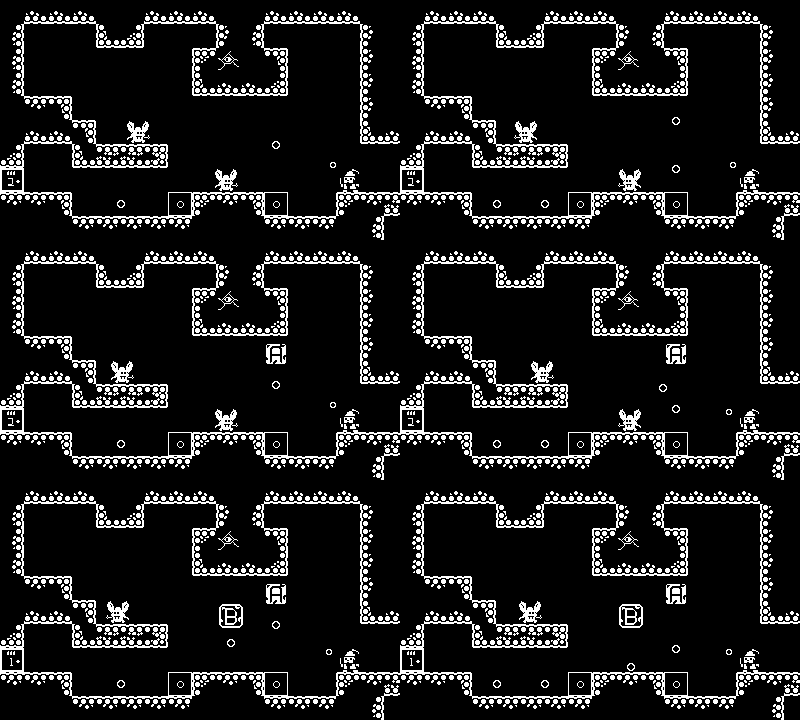
Reverse Portals – allow you to change the direction of objects traveling through portals. This would be very important for solving puzzles and killing enemies.
Super Portals – increased the maximum distance before a portal forms from 110 pixels to 250 pixels
Shield – I had my mind set on this one the second I made the reticle. Once unlocked, you could use the reticle as a shield to block and knock back projectiles.
Double Jump – Can you even have a good video game without a double jump? At first it might seem unnecessary since you can travel via portals, but when one of the leaderboard categories is fewest portals, it starts to make sense.
Floating – I wanted one last movement flourish that again discouraged portal use in the late game.
Enemies
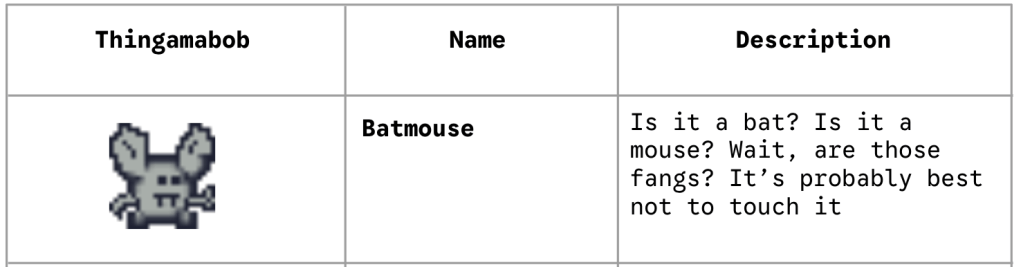
There are really only two main non-boss enemy types in the game. We have vampire mice known as “batmouse” that move from side to side, and there are flying enemies that move in more of a pendulum-like swing and drop fire. This was something I wanted to beef up a little more, but for the puzzles and number of levels I wanted, this actually worked fairly well.
Obstacles and Traps
There are a lot of mainstays in this game like locked doors and keys, gates that need to be cranked to open, mirror puzzles involving sunlight, spikes, flames, and more. My personal favorite is the “blood door” which requires you to kill a certain number of enemies before it will open.
The sunlight and mirror puzzles were probably the hardest to implement. Initially, I was thinking of an ever growing sunbeam that you had to position with portals. This proved to be very taxing on performance and ripe for issues, so I eventually changed it to a moving circle of sunlight that disappeared once it hit an obstacle. These were perhaps the most fun puzzles to make in the entire game as it allowed me to create very elaborate Rube Goldberg machines.
Not every item was successful and made it into the game. I spent a good deal of time trying to make rolling boulder traps, but they were prone to glitching and not rolling. In the end I decided to just use one for a sight gag and not have them interact with the player.
Additionally, there is one obstacle continuously confounded me with its difficult to reproduce buggery. There are several levels that require you to place an enemy atop a pressure plate to keep a gate open. In very rare instances with rapid movement on and off of the pressure plate, the gate can get stuck either too high (not a problem as it is open) or too low (a very big problem since you cannot get past it then). Due to how difficult it was to reproduce and the fact there is a failsafe to fix broken puzzles for the player, this stayed in the game even if I did feel a little bad about it.
Bosses
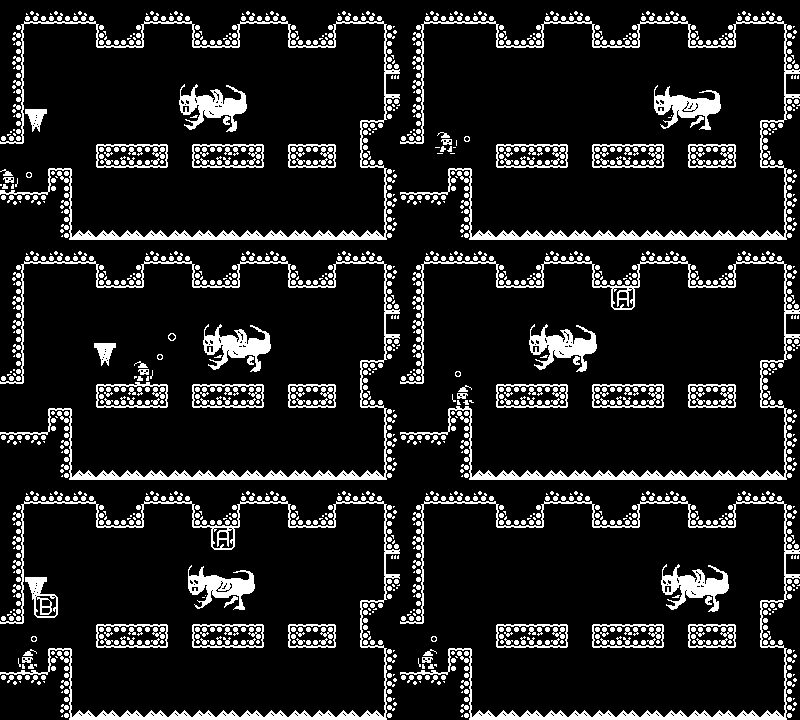
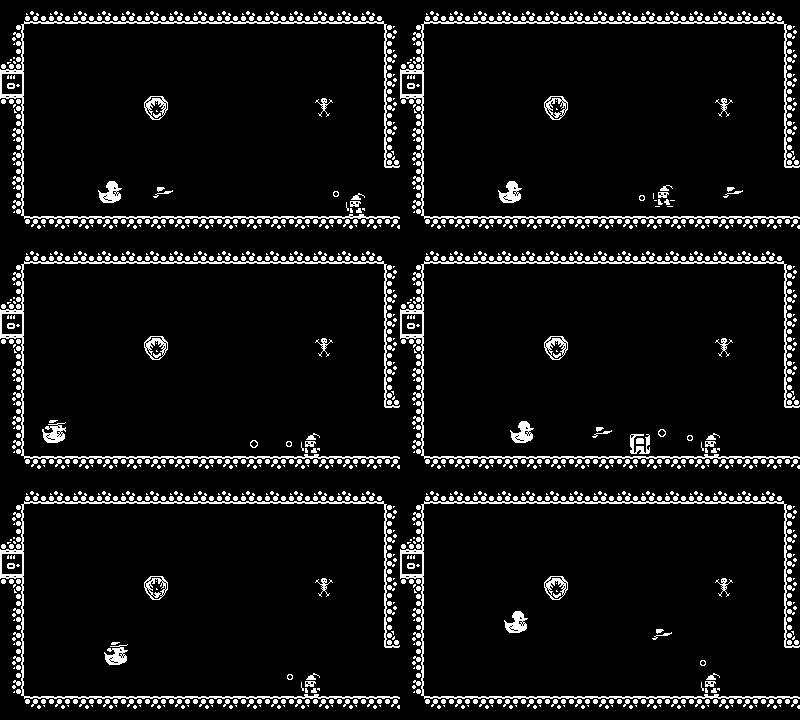
When making my demo, I built two bosses – the vampire Vladnicula, who dropped Stalactites on you from above, and the fallen dragon king, Draconus, who shot fireballs at you that were just waiting to be reversed back. Given that I was shooting for 60-70 levels, I knew I was going to need some more. To honor the work of my composers, I turned each of their online characters into bosses. In case you were wondering why there are random duck bad guys in the castle, that’s why! Their avatars feature a hat and a monocle, so I designed the encounters around those particular features.
Originally, each boss only had 2 phases, and things felt off. By adding a third phase to each things finally clicked, and the bosses felt worthy of being true castle guardians.
I still needed a final boss or big bad to round things out. The Spider Queen would do, but I still had to figure out how to make her more menacing. I had grand ideas of a great escape at the end and not a traditional boss fight.
Starting a New Job
In January, I finally started a new job, 5 months after leaving my previous company. This job itself is far more energizing and outside of the toxic tech realm I was desperately trying to escape. It is, however, an in-person gig after 6 years of being remote. This meant I would only be working on my game on nights and weekends and that I would be more tired after a day of having to actually interact with people (something I had forgotten was a thing humans do). While this slowed things down for a couple of weeks while I got my bearings, I eventually was putting in about 4 hours per night and a solid 6-8 every weekend day. The end felt near, and I was determined to get there.
Setting the Level Layout
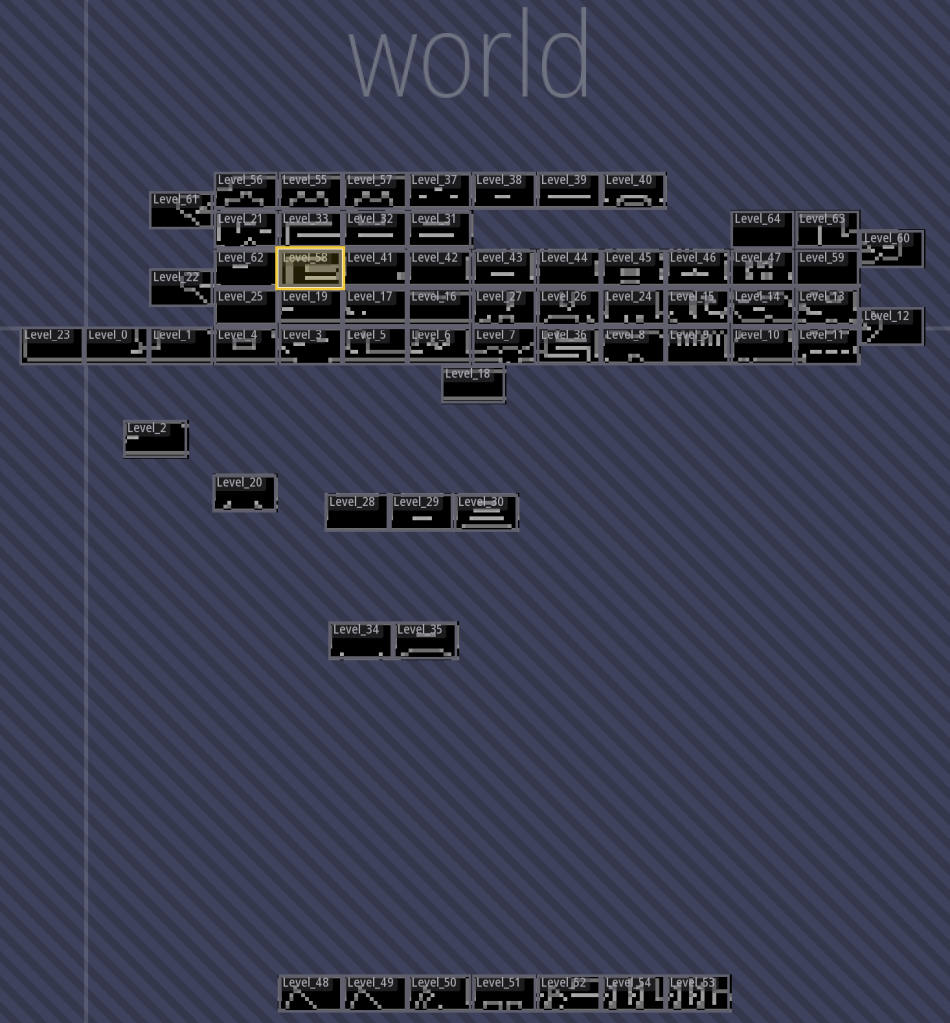
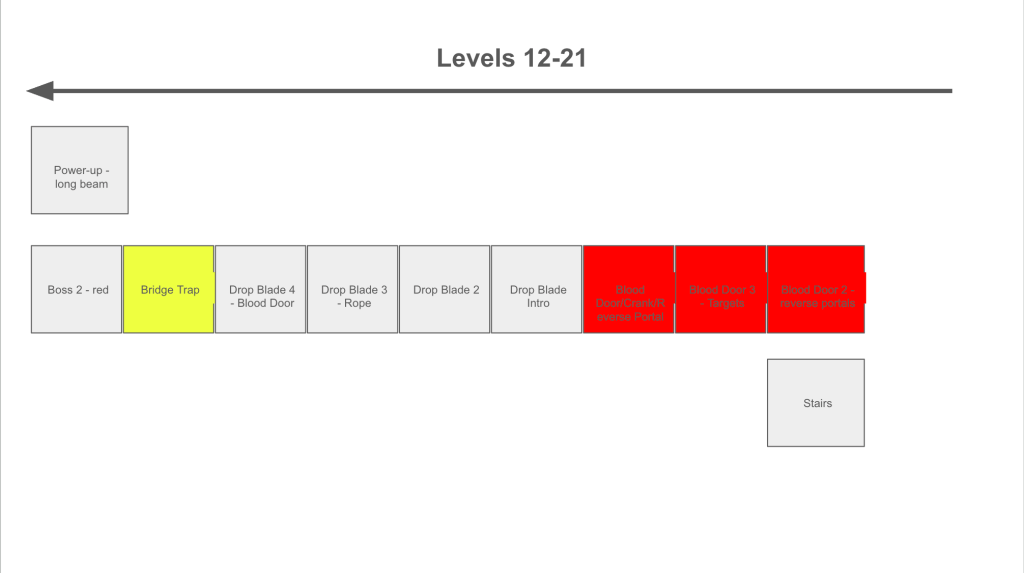
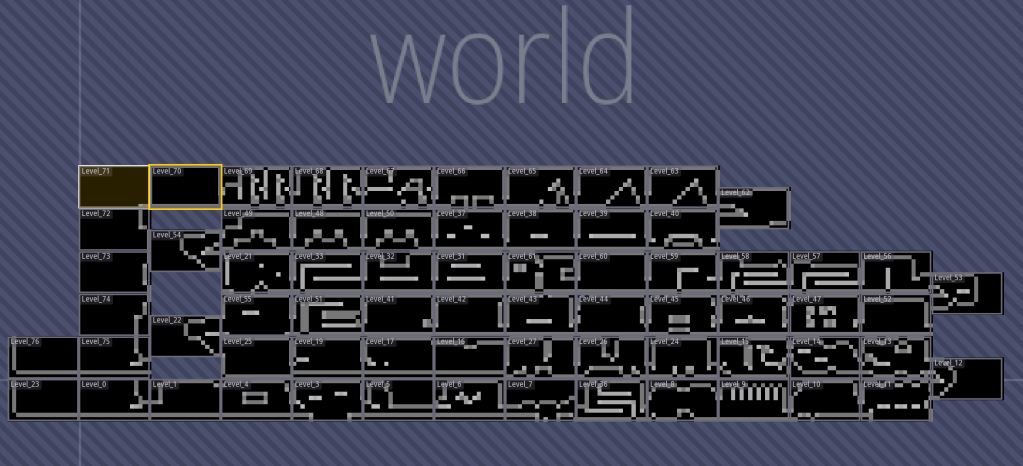
One of the trickiest parts of designing my game was figuring out the level layout. The basics were simple. You put similarly themed puzzles next to each other and have the difficulty go up ever so slightly. The actual execution was much harder, though, as I had to take into account the impact of the power-ups on how each level was played. Eventually, after a lot of trial and error, I got the general flow for what powers you should receive when to make the gameplay as fun and challenging as possible. At the end of each floor, you would fight a boss and receive a power-up. You would then take stairs up to the next floor and go in the opposite direction, zig-zagging up the castle until you reached the fiery conclusion atop the roof. There is also a tiny bit of trickery where I replicated the starting area to allow for the game’s ending to take place. If you actually count the number of floors you fall during the ending, you would notice there is one fewer than there should be. And, much in the spirit of my favorite Metroid series, be sure to go left when you start the game.
What you see in the picture up top is an early layout in LDTk. The picture below shows the final much more castle-like progression of the game.
Major Decision: Animate Everything
Originally, only the Wizard had animation to them. This made the game feel admittedly weird and not quite alive enough, so I decided to try to animate just about everything I could, which was pretty easy with Piskel and the AnimatedSprite.lua library (just copy the frame and adjust slightly, repeat 1-2 more times). The big breakthrough here, though, was realizing I could make little background flourishes. This was one of my favorite parts of making the game thinking of little animations to liven up the level. My personal favorites are the cat (in honor of the recently departed Abby) and the creepy eye.

Major Decision: Update All the Graphics
Through the process of making so many characters and animations, I developed into a much better pixel artist (practice works – who knew?!!?). As a result, things I created early in development looked out of place compared with the newer ones. I spent several nights making updates to all my sprites to bring everything to similar levels and have it feel like there was some actual grand art direction.
Making Sure Everything Doesn’t Break
At this point, I thought the gameplay was really hitting its stride, but it was still too easy to break the game. The biggest threat came from the portals themselves. I was using math and the querySpritesAtPoint() function to check where a portal should form and also checking again utilizing your momentum when you exited to make sure you weren’t moving through a wall or other barrier. I still was making sure a portal would always be created, and that was leading to problems. In tighter spaces, you would occasionally form a portal and clip through a wall. What happened next was that you either got stuck in the wall or you were magically transported to another level. If you went through the floor, you’d autosave into a level you had already completed and need to make your way back. If you went through the ceiling, you’d skip whatever power-up the boss gave out and effectively break your ability to beat the game.
The first thing I did was put in a check whenever you try to go to another level to see if that transition was allowed. This could have been a simple increase in number check, but my LDTk levels were completely out of order after shifting things around and it seemed like more of a hassle than it would be worth to renumber them to be sequential. Once this was in place, I could at least confirm that you would not sequence break the game and destroy your save.
There were several more safeguards I added to really guarantee problems didn’t happen. I finally made it possible for portal formation to fail. Every now and then, I did notice a portal not form when I would expect one to be created, but it was an acceptable trade off to ensure a portal never forms in a space that is too small and will cause a clipping issue. Additionally, I made a very small adjustment to the collision box of the player to give them a little more room to recover in case they exited right at a wall. With this in place, I no longer saw any clipping issues even in the most cramped stages. Lastly, I added the ability to reset a level in the pause menu. This way, if a puzzle broke for some reason, the player could conveniently restart without having to fully close and reopen the game. This would prove incredibly helpful later when I added a “hard” mode.
Optimizing for Performance
Performance is one of the biggest reasons you really need to test your game on the Playdate device. Too much simulator testing gives you a false sense of security because it’s running off your computer’s hopefully far superior processor. There were two big things I was looking for with performance testing. First, I needed the game to load in under 10 seconds (any more and the Playdate will crash). Then, I wanted to confirm that frame rate stayed mostly steady around 30 fps throughout. I was willing to take tiny hits during level transitions, but I did not want hiccups while platforming.
Thankfully, Playdate makes it easy to check frame rate with their playdate.drawFPS() function. Your frame rate conveniently displays in the top left corner when using this. With all the animation I just added, I was decidedly concerned about performance. Sure enough, a few sprite-filled levels, especially those with my fire walls took massive hits. Remedying this was actually not bad at all. I just had to cache the images at load time which is as simple as moving the imagetables to outside of the class declaration function itself. This could potentially impact the startup load time, but it was little changed and remained steady around 4-5 seconds.
There were still minor dips as new levels began possibly due to saving your data at the start of each room and anything new loading that had not been cached yet, which should not have been much. SquidGodDev’s tutorials had pointed out that you could precompute the levels in the simulator and then have those used when using the device to save the processor. You just need to remember to copy the levels over to the right place and then make a final build.
The Last Big Test
I put together one last 60ish level demo to send to my testers. This was an almost complete version of the game without leaderboards or a grand finale, but nearly all of the gameplay elements were in place to give me a general idea if there was anything that was messed up.
Perhaps the most insightful bit of testing in this round came from a non-gamer. I asked my wife to play the first 10 levels while I watched. This helped me figure out what the pain points were early on and what didn’t work, so I could adjust the opening levels and hopefully get people invested rather than frustrated.
The Final Stretch
Now I was my own worst enemy when it came to adding polish and deciding when to finish. There were some things that seemed like absolute must haves (leaderboards, cutscenes, and an actual finale), but there were also plenty little bits of polish here or there. For the most part, I think I kept the scope creep in check here as I shot to be finished by the end of February. The biggest thing that needed to be figured out was the grand finale, and I opted for more of a chase/great escape sequence than a traditional big boss fight. Getting this right required a lot of tuning and even made me have to consider terminal velocity for falling finally, but in the end, I think it’s a fitting if somewhat abbreviated ending.
Local Leaderboards and Cutscenes
I said I would talk a little more about the use of AI to generate code, so I think it’s important we discuss local leaderboards and the cutscene engine. After 6 months working on the game, I was in the home stretch, and my brain was definitely turning to mush. I decided to rely more heavily on AI to help me build these aspects of the infrastructure for my game. Even with putting more of the work on AI here, each still required probably 8 hours of work on my part to integrate them and get them working.
I wanted to add a layer of replayability to the game, so I needed leaderboards. The local leaderboards would be fairly simple and store the Top 25 scores for each around the categories of fewest portals used (The Miserly Magician), fastest time (The Swift Sovereign), and fewest deaths (The Prudent Princess).
Now when I say AI helped me make my cutscenes, I don’t mean it made the cutscenes for me. Rather, I had it build me a cutscene engine that I could give step-by-step instructions to create the cutscenes I wanted while pausing the game itself as needed. I had controls like moving characters, changing sprites, pausing, generating dialogue, changing music, and more that came in extremely handy to build my game’s 3 cutscenes. They might not have a ton of production value, but I am pleased with how they turned out. I would love to optimize and expand this for future games or convert into a library for others to use.
The Story and the Big Bad
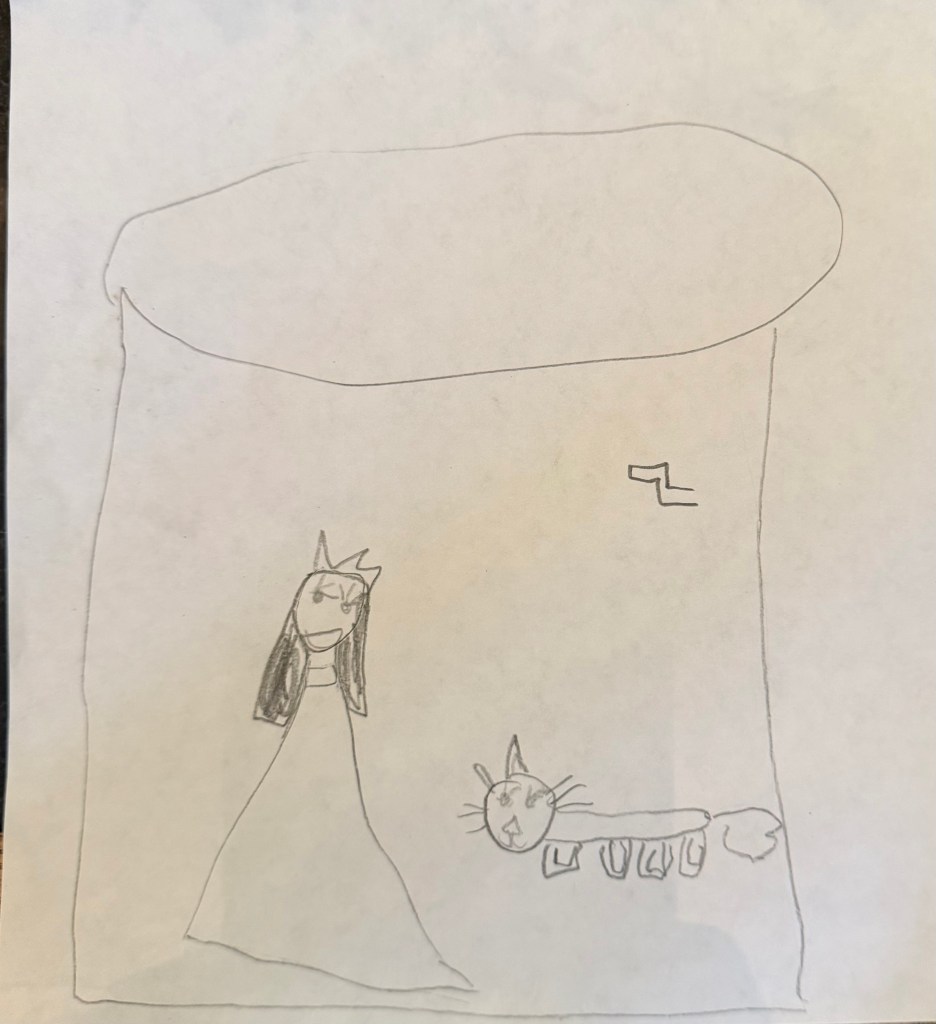
Since I have two young daughters, I knew my game would need to feature them. They love princesses, but I did not want this to be a simple damsel in distress story. I asked my oldest to help me come up with some ideas (see the drawing below that told me I needed a crank mechanic), and then I started working on the premise that the princess who was captured and the heroic wizard were both more than meets the eye. The actual story did not really come together until the final stretch as I was so focused on gameplay, but once I got going it was just about a week of altering cutscenes and adding little details to tell the tale of that princess and those portals.
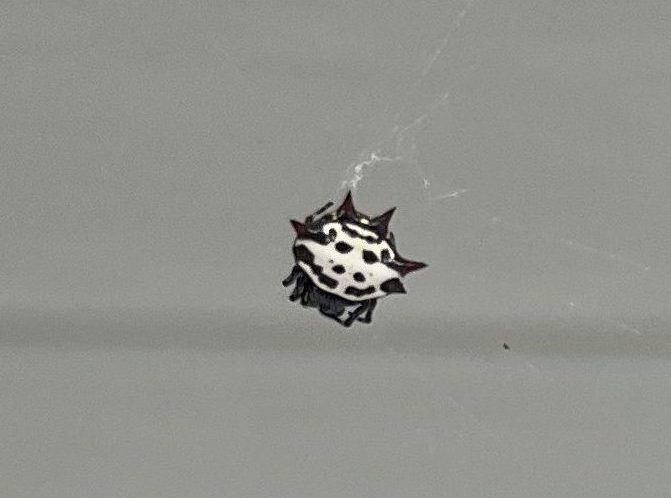
I also knew I needed a big bad for my game, and inspiration came from nature. One day, I noticed a really cool spiky looking spider outside my front door (see below), and I had exactly what I needed for a true villain. There was an early iteration where the kidnapped princess was actually this spider in disguise and the wizard was the princess everyone thought was kidnapped. This would have culminated in an exciting escape from the castle atop a giant spider, but I felt like this take was leaving my youngest daughter out of things. As a result, I reworked it so the Spider Queen was the villain and my youngest, Penny, was the captive princess who might not be so helpless after all.
Submitting and Releasing a Game
Making a Company
As I got closer to releasing my game, I had a decision to make. Should I release the game as myself or create my own LLC to submit the game under. I elected to go the more official looking route, and I asked my lawyer to form Pwned and Operated Studios, LLC. There’s nothing quite like the feeling of stupidity I experienced as I had to explain to my lawyer that “no, the ‘P’ is not a typo”. He just had to check that the name was not in use, but he was correctly fairly confident that it wouldn’t be. About two weeks later, I had some documents to sign that set up the LLC and established myself as the sole member and manager (and President, so I could sound fancier). This was pretty costly, and it definitely could be done a lot cheaper if you do it on your own. I always freak out about things like this and wanted to make sure I did it correctly, so I am fine with the extra money up front as this will now last me through every game I make.
Adding Hard Mode
Getting my paperwork to signal my LLC had been established was taking a little too long, and I started to get antsy. I did not want to add anything too drastic to the game as it was ready to release. I realized, I had an easy thing I could build to both increase difficulty and replayability. I decided to add a “Hard” Mode to the game that unlocks after you finish the game the first time. For the most part, this is the same as “Normal” Mode except when you die in this one, the entire level resets and not just the player, meaning all enemies return, all keys are lost, all portals are removed, and much more. It was a really simple addition that took about two nights to add as it also required updating leaderboards to handle both difficulties.
Applying to Playdate Catalog
When development first started, I was going to be satisfied with just putting the game up on itch.io, and I assumed actually getting selected for the Playdate Catalog was out of reach. By the time I finished, I felt I had a very strong case for selection. I also desperately wanted to be selected to get access to their global leaderboards.
On March 25th, with my company finally formed, I made the submission build of my game (complete with everything except those global leaderboards) and sent it in to Playdate. Two weeks later, on April 8th they sent me my acceptance. I was on vacation with my family stuck in traffic on the way to visit my best friend when the notification came in. Thankfully the notification screen showed the word “accepted”. Suddenly I didn’t care so much about the traffic I was sitting in, and I had good reason to celebrate that night. Eight days later, Catalog sent me my release date of June 9th and a deadline to have all materials in of June 2nd meaning I had about a month and a half to prepare for release.
Adding Global Leaderboards
One of the best things about getting accepted to the Catalog is getting access to the scoreboards API. I was beyond relieved once I got the API documentation and saw that Playdate did most of the work for you. All you really have to do is make a call to send the scores and another call to retrieve them, and they will take care of the hard work of authentication, de-duping, and even showing your score when you’re outside the Top 10. Thinking this would be a breeze, I sat back and relaxed for a couple of weeks then frantically tried to make it work when it kept acting incredibly weird.
Two major issues were happening. First, I had 3 scores to submit at a time (number of deaths, number of portals used, and time), but only one function was “working”. Even then, that function was returning an error. After lots of online research, I discovered 2 typical issues. It seems the scoreboard was originally designed to only have one per game, so they had trouble handling multiple. You had to chain the next score to trigger once you get a response from the servers. That wasn’t all that tricky, but the error had me completely confused. I had seen talk of the API call having trouble if your leaderboard’s name was too long which shouldn’t be the case for mine, but after speaking with other Playdate devs on the Playdate Dev Discord, they guessed it was likely my bundleID having an issue. Once I significantly shortened that, everything magically worked, and I breathed a massive sigh of relief. You can read more about it in the developer forum here.
Making the Studio More Official
While, I already had this website, I wanted a way to separate my company from my blog work, so I bought pwnedandoperatedstudios.com and made a fairly basic WordPress site that could easily be expanded in the future. I also set up a professional email to answer any support inquiries (a requirement of being on the Catalog) and started a Bluesky account as a way to drive engagement.
Working on Catalog Assets and Going Gold
The Catalog requires a long list of assets, several descriptions of your game, an AI disclosure, Accessibility description, and an appropriateness description. I was planning to use my cover art for the assets, so it was really just a matter of adjusting the size to fit the many different ones they wanted for both the website and the device. Shamefully, this was all done in Google Slides, but it worked!
Additionally, I wanted to add some more life to things, so I made a trailer (with some very rusty iMovie skills) and adapted the instruction manual I had given my testers to be more fitting for a finished product.
Finally, on May 25th, 8 days ahead of the deadline, The Princess and the Portals went gold, and I submitted the final release build. You can find its Catalog page here.
Setting a Price
The average price of a Playdate Catalog title is just under $6. Given how I felt my game compared to others I had purchased, I thought $6-8 would be the sweet spot. In the end, I chose to stick to the lower end and released the game at $6 to hopefully encourage more people to purchase it.
It’s important to keep in mind the fees that Catalog (and really any online store) will take when selling your game. Catalog takes 25% (pretty standard) and Stripe takes an additional 2.9% + $0.30 cut of every transaction (which came out to roughly $0.47 for my game). So, for every $6 sale, I would expect to make about $4 before taxes.
Looking Back at Cost
While the biggest cost of making the game is my time, which again was the better part of 8 months, the quantifiable stuff really came down to setting up my LLC (by far the costliest but could have been done a lot cheaper without a lawyer), purchasing a Playdate for my composers, and buying thank you gifts (engraved wands) for everyone who helped. There is also a small revenue sharing agreement with my composers that triggered after a certain threshold was met. In all, the total cost of the game was about $3200. In order to make that back and account for revenue sharing, I would need to sell about 1000 copies of the game, which seems unlikely for a debut release on a niche handheld.
Post Launch
Releasing and Promoting the Game
I am not gonna lie. I had absolutely no clue how to promote a Playdate game. I spent so much time working on the game itself that I never took the time to build up any anticipation for the game. Instead, I think I was really hoping just releasing on the Catalog would be promotion enough.
Finally, I decided to see where Playdate enthusiasts flock, and I discovered the r/PlaydateConsole subReddit and the Playdate Squad Discord channel, so I made sure to post about my game there. Additionally, I tried to post every day or two in Bluesky about the game. I also reached out to several reviewers to see if they would be interested in a promo code to check it out, and I had a few friends offer promo codes to listeners on their podcasts. For anyone trying to figure out how to generate interest for a game on Playdate, I highly recommend checking out this blog post on promoting a game for the Playdate that was conveniently making the rounds on Reddit right when my game released.
Critical Response
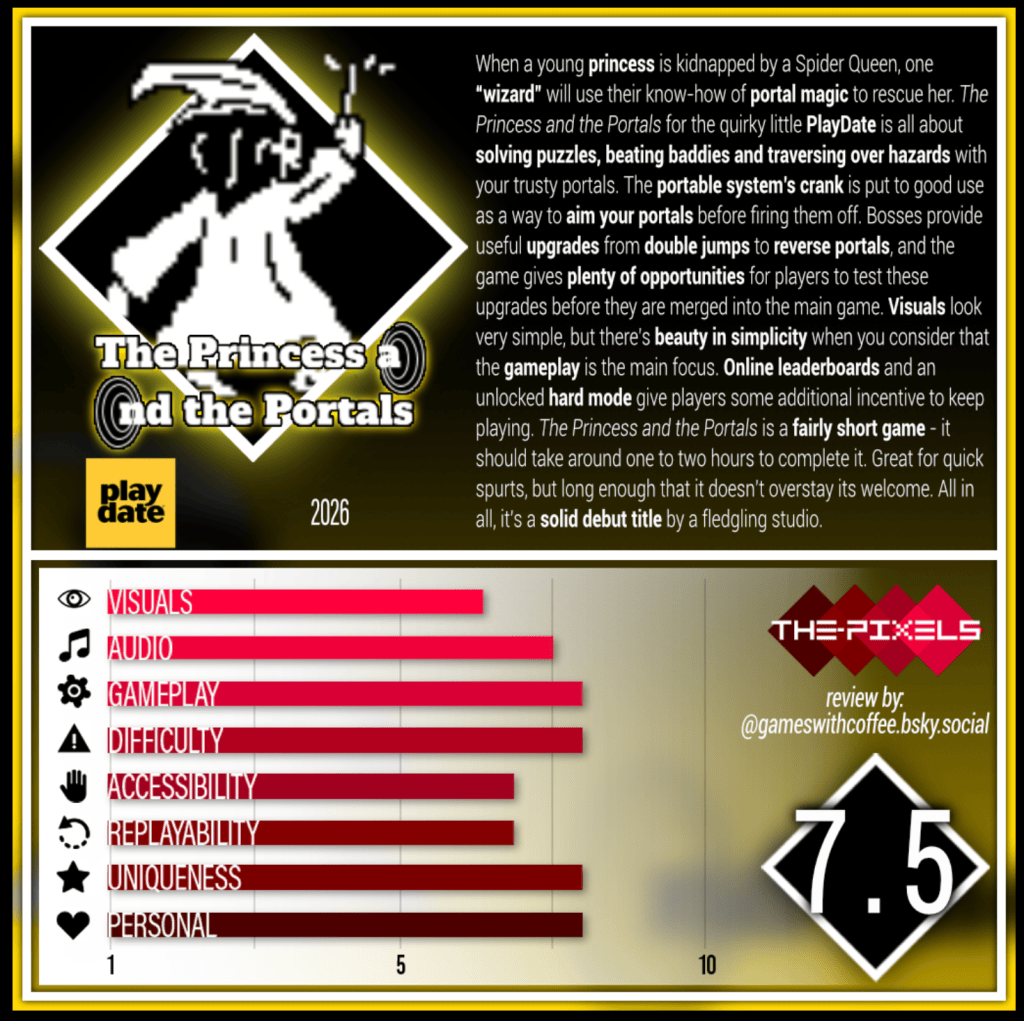
My first review from the-pixels.com came in a few weeks after launch, and I am proud to say it gives high marks to gameplay, difficulty, personal like, and uniqueness which were my main targets. This reassured me that I made the game I set out to make, and I think it is mostly successful especially for a first true release. In addition to the-pixels, I received positive coverage on Playdate: The Unofficial Website, and the game was reviewed in Cranko! Magazine. I am told it was a positive review, but since they do not ship to the United States, I need to wait until the PDF copy is available to see it.
Anecdotally, I have seen it discussed on the Playdate Squad Discord and Reddit in a positive manner, and my support email has yet to receive a single negative message or bug report. I feel like for a first release I did a solid job and people are pleased with it.
Sales Figures
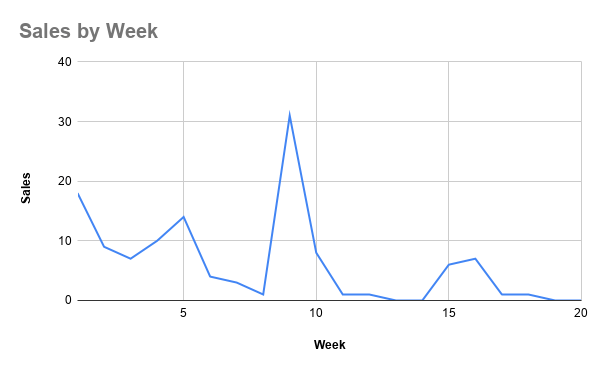
I had zero clue what to expect, and for the most part, I am pretty pleased with the sales reception thus-far. My goal was to sell 25 copies the first week, and I came in just under at 18. My next goal was 50 copies in a month, and sure enough I hit that with a few days to spare. I finally crossed the 100 mark about 2 months later, and I now am pretty flat at 122 copies sold for the last several weeks. Furthermore, there are 244 people who have wishlisted my game, with 44 of those having purchased it.
Here are some takeaways I had:
- Being on the main store page is crucial. You can see the sales bottom out after about 6 weeks. This is because enough new releases happened that I was no longer featured on the Catalog website nor in the Catalog app on the Playdate. You can expect to stay on for about 3 release cycles. Each release cycle features 4-5 new releases and 1-2 older games being promoted by Playdate. Once that 4th release cycle hits, you will likely be findable by search or by the specific genre filters.
- People really do love a good sale. I think Playdate owners are used to sales occurring, so a lot of people will wishlist the game and wait for a sale. When a sale happens, they get an email notifying them an item on their wishlist is on sale and some will excitedly buy it. I waited 2 months for my first discount and dropped the price to $4. You can see the massive jump for our best week ever right around week 8. I did one additional price drop a month later, and that’s the bump you see near week 15. In all, about 50% of my copies sold were at full price and 50% were from sales. I imagine this will skew much more heavily toward sales in the future as it will be the easiest way to promote my game and increase its visibility. Note: sales can last 2 weeks, and they are not allowed within 30 days of a previous sale.
- Playdate owners are concerned with AI usage in games. I think there is a ceiling on your game if you use AI. Again I will discuss my evolving thoughts on AI usage in game dev more later on.
So what does this mean from a monetary perspective?
Copies Sold: 122
Gross Income: $673.86
Sales Tax: $49.86
Stripe Fees: $50.95
Revenue Share with Playdate: $156
Net: $417.05
The Beat the Dev Competition
I wanted a way to make my first sale more meaningful, engage with the community, and to have something special to announce during my coverage in Cranko! I decided on a Beat the Dev Competition where anyone who topped my high scores on normal mode could win an engraved wand to commemorate their accomplishment similar to what I gifted those who helped make the game.
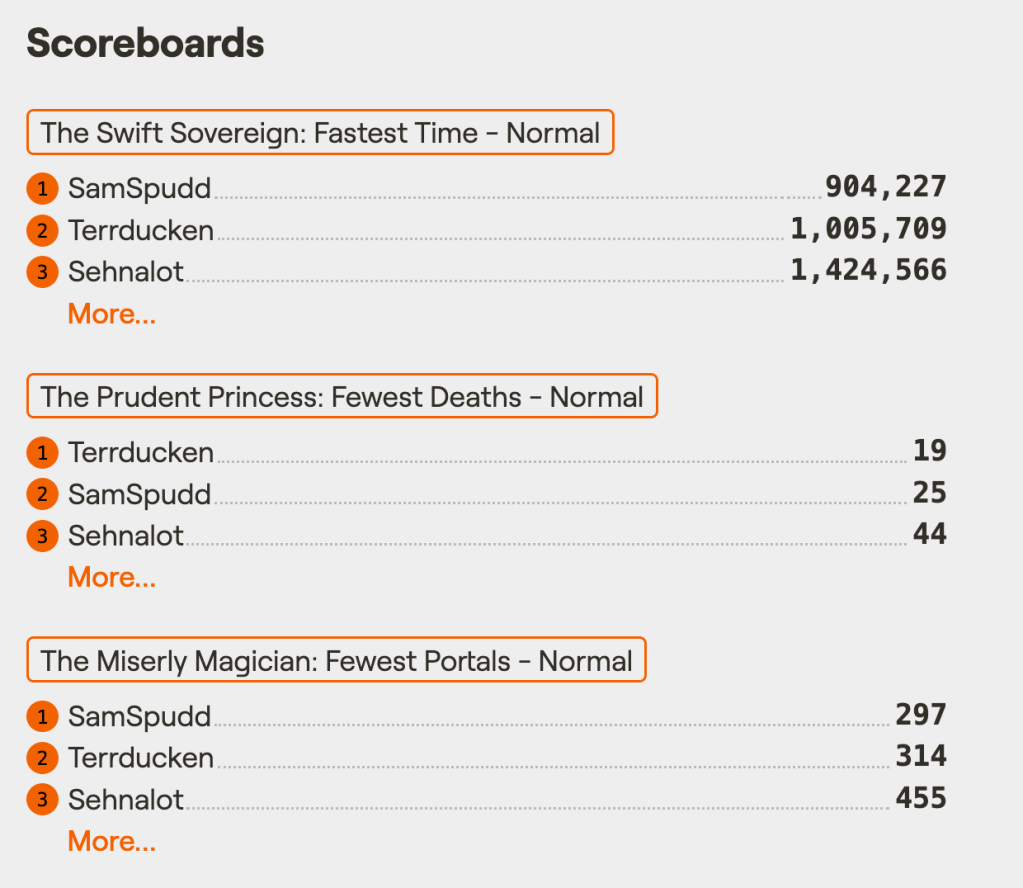
This could not possibly be a fair competition as I had beaten my game well over 50 times at this point, so I had two glasses of wine before posting my scores to give the community a chance. At first, I was worried this had still set too high of a bar, but Mr. PDGamez himself, SamSpudd, stepped up to the challenge and eventually topped my scores for both fastest time and fewest portals, leaving only my record for fewest deaths intact. It was really fun seeing him climb his way up the scoreboard with each new attempt, and the fact he was willing to replay the game quite a few times confirmed my suspicions that I had made something fun.
Evolving Thoughts on AI in Game Dev
Going in to this, my knowledge of dislike of AI in game dev was confined to using it for art and music. I was genuinely shocked that my game set off a little bit of a Reddit debate around AI in Playdate games. I think a lot of devs have had a similar experience especially those coming from the tech world where it is expected you will use AI as a coding tool. My response to the backlash about AI use in my game was surprisingly very well received by the Playdate Reddit community, but I did not simply say “oh well” and move on. I started to really think more deeply about it and tried to understand where people were coming from.
I also got way more online following the release of my game. I was back on social media with a Bluesky account for my studio, daily checking on the r\PlaydateConsole subReddit and spending time on the Playdate Squad Discord. It seems people are pretty split. A decent chunk does not seem to care, but a large amount also cares very deeply and does not want to play anything remotely involving AI. The main reasons for this are a proliferation of vibe coded slop on Playdate (especially on itch.io), the ever increasing costs of playing video games thanks to RAM shortages, and general concern for the environmental and societal impacts of AI. Likewise, you see a big distinction between people who think the act of coding is art and those who think of it more as finding solutions to already solved problems (think using Stack Overflow for coding help pre-AI). Many devs seem unbothered by it as it is something expected in their work, but many non-devs would prefer it to stay out of their games.
Which brings us to where I stand on it now. I have made the decision to not use AI in any of my future game development for a multitude of reasons.
First, I just want people to enjoy my games. I don’t want them to experience any feelings of ick by seeing AI was used. I am not expecting these games are going to make me rich. It really is about getting more people to play a thing I spent so much time on, and using AI is going to limit the number who decide to do so.
I have also become more aware of the impact of AI on the world in general and have far more distaste for it. I am currently teaching at a college, and I see how it is stripping students of the ability to critically think and retain information.
Lastly, I actually know how to code. Yes, it was very helpful to have AI act as sounding board and debugger, but I also probably spent as much time fighting with it as it saved me. I know I can do this without it, so I might as well do it myself.
Now, just a quick word for those looking to make a game for the Playdate. The tide does indeed seem to be shifting. When I released my game in June, roughly 50% of games on Catalog disclosed the use of AI in coding. Now looking at the last 30 non-Season 3 releases, only 15% disclose the use of AI (and none of the Season 3 games use it while some Season 2 games had). While Playdate’s policy still allows it, who knows where they will stand by the time you finish your game. The costs far exceed the benefits on many levels, and I would recommend against using it.
How Its Going and What’s Next
Overall, I am pretty satisfied with the release of the game. I am incredibly proud of how the game itself turned out, and watching the leaderboards start to fill up was tremendously rewarding. The goal was never to make a ton of money off of this release. Rather, it was to get my feet wet and learn as much as I could, so I can do this even better next time. The game will be joining the Playdate Catalog Fall Sale from November 5th – 19th at its lowest price yet ($3), so I will be interested to see if it can top the 200 units sold mark.
I have learned a lot about game development in general and on the Playdate, and I look forward to making more in the future. Next, I will be shooting for a shorter, more arcade-y experience that hopefully takes more on the scale of 3 months rather than 8. Life has definitely gotten in the way and slowed development with school starting back up, but I will likely be working on a revamped version of the chemistry game I made long ago thanks to the inspiration I am getting from teaching the subject again after 15 or so years. Once that is done, I do promise to return to the world of Faedum and make the sequel 2 Princess 2 Portals mentioned in the end credits. Regardless of where my next game takes me, I will be sure to share DevLogs along the way with the passionate Playdate community to get input and build up some interest pre-release.
Aside from that, I have a fairly big backlog of Playdate games to catch up on including most of Season 3, so be on the lookout for Terrducken on the leaderboards.
If you would like to learn more or reach me, you can email support@pwnedandoperatedstudios.com, message me on Bluesky (@pwnedandoperated.bsky.social), or find me on Discord (pwnedandoperated_64493).
Consolidated Resources
- Playdate SDK
- Visual Studio for coding
- Pulp
- SquidGodDev’s Tutorials
- Piskel for sprites
- LDTk
- AnimatedSprite.lua
- ldtk.lua
- Playdate Developer Forum
- r/PlaydateConsole
- r/PlaydateDeveloper
- Playdate Squad Discord
- Tips for Promoting a Playdate Game
- The Princess and the Portals Catalog Page
- The Princess and the Portals Instruction Manual
- The Princess and the Portals Trailer
- The-Pixels Review
- Playdate Unofficial Review